Onyx guide
Ask anything, or explore by topic. No endless scroll.
How to use Onyx, step by stepReal screenshots with numbers: sign-up, connect account, the dashboard and every module. To get started.Open step by step →Articles & help · Ask OnyxConcepts, questions and troubleshooting. Search or let the AI answer instantly.Browse articles & ask →
Articles & help
Onyx answers from the guide · or takes you to the exact article
YOUR PATH
Connect
Get data
Guardian
Master
Start here
Create your free account and connect your platform (MetaTrader, cTrader, MatchTrader, TradeLocker or DXtrade). It takes a few minutes.
EXPLORE BY TOPIC
📱→
Download the Onyx app (Android & iPhone)New
Install Onyx on Android from Google Play or on iPhone/iPad from the App Store and carry your accounts, robots and the Guardian in your pocket.
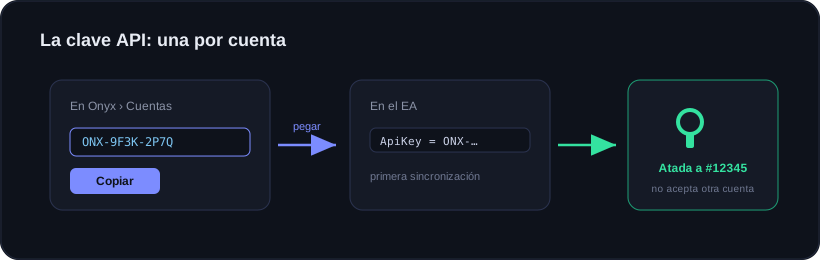
Connecting your account: how it works
What the key is, why one per account, and the difference between connector and login platforms.
Connecting by API (MatchTrader, TradeLocker and DXtrade)
Nothing to install: connect MatchTrader, TradeLocker or DXtrade with your account email and password.
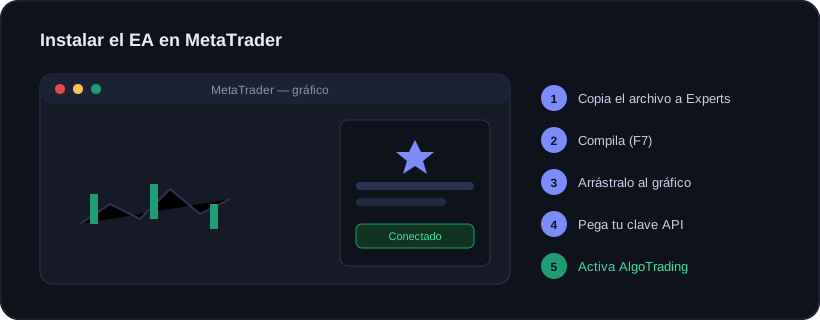
Installing the EA in MetaTrader
The seven steps, and the four things that fail when it does not sync.
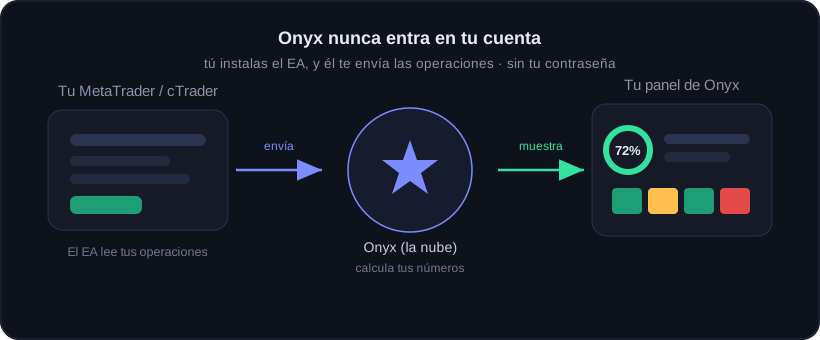
What Onyx does and does not do
The real limits, said before you get a surprise.
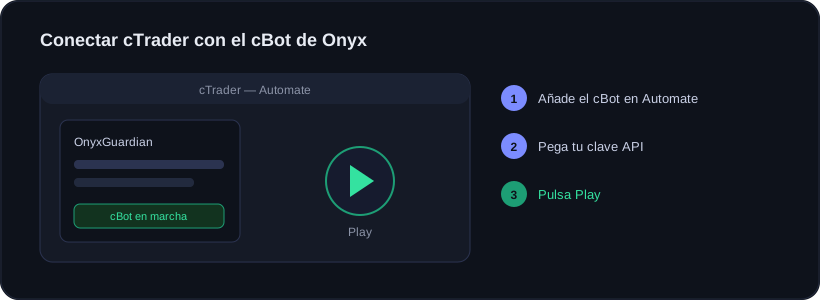
Connecting your cTrader account
In cTrader you don't use an EA but a cBot. Same Onyx, written for cTrader.
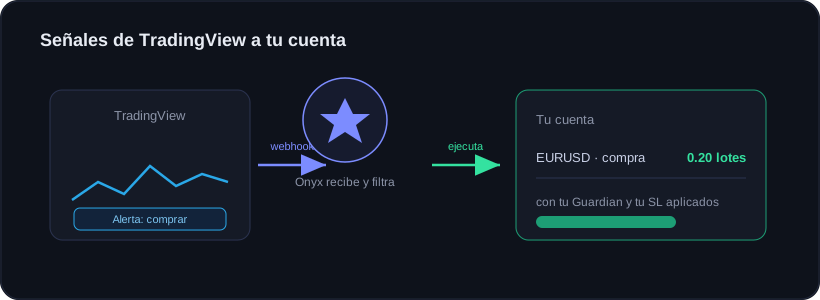
TradingView → Onyx: execute your alerts
Make your TradingView alerts open the trade in your real account, automatically.
📱 Carry Onyx on your phone — Android & iPhone